University of Hertfordshire Invest in Wayfinding Kiosks
Custom digital signage totems streamline student services with ID badge scanning, ticket printing and intuitive touch screen technology
Project Overview
Based largely in Hatfield, the University of Hertfordshire boasts more than 25,130 students, including more than 5,200 international students. With the UK government's new edtech strategy encouraging institutions to embed technology for efficiencies, the University focused on creating a more efficient and accessible Student Centre.
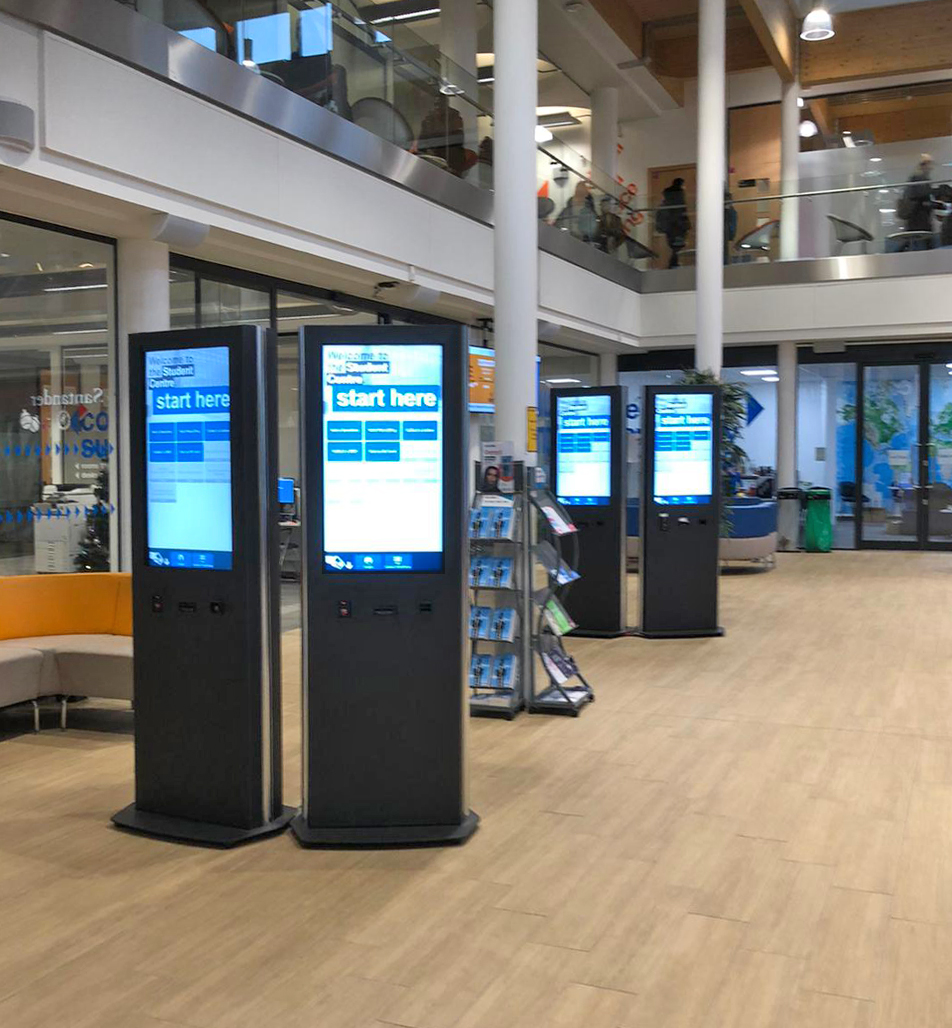
Working with Unicol, Strive AV created bespoke digital signage totems designed to deliver a streamlined experience for staff and students when interacting with the University's Student Centre, replacing the original configuration of eight computers on a round table with chairs.
Project Details
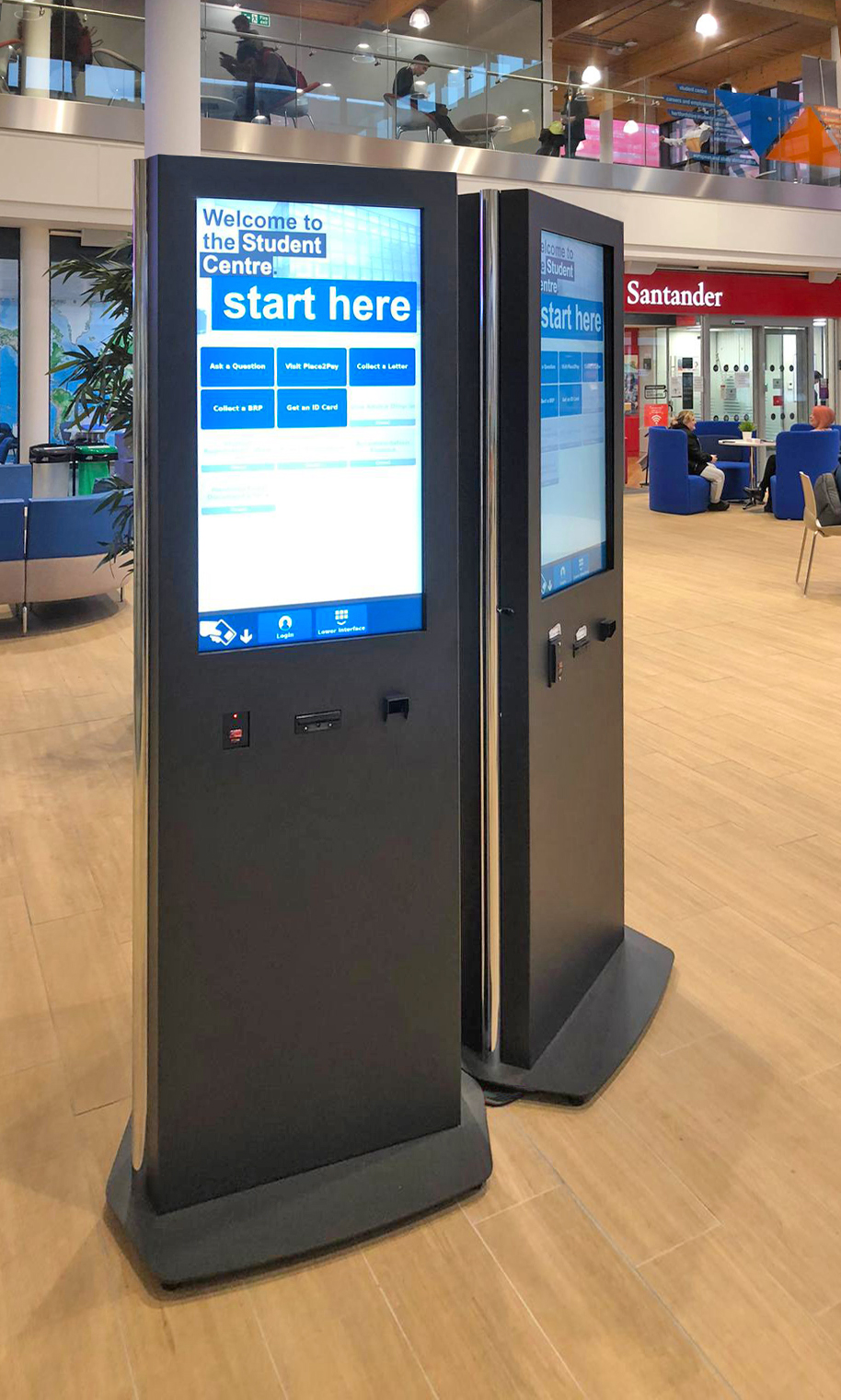
Students who wish to raise a query with staff now only need to select the query type and scan their ID badge (or enter their ID number and date of birth) for their query to be logged. A member of staff is notified and a numbered ticket is printed off – similar to that of some retail stores and fast-food restaurants.
The custom totems incorporate an ID badge scanner, ticket printer and a touch screen, providing an intuitive and efficient workflow that reduces queues and waiting times in the Student Centre lounge area.
Project Challenges
The challenge was to design a solution that was reliable, intuitive and scalable enough to be trusted by staff and students alike. Disruption and downtime also had to be minimal.
Key Requirements
- •Replace 8 computer setup with streamlined solution
- •Reliable and intuitive for diverse international student body
- •Minimal disruption during installation
- •Scalable for future growth
The Solution
Unicol Obelisk System
Chosen for its ease, simplicity and customisation. Central H frame design with neat cable management and swappable covers.
ID Badge Integration
QR scanner and ticket printer for seamless query logging and automated staff notification system.
NEC V404-T Screens
Three totem kiosks with high-quality touch screens for easy interaction and clear visual display.
Equipment Installed
Project Outcome
Improved User Experience
- Easily recognisable 'go-to' display that instantly encourages interaction
- Simple badge scanning and ticketing system
- Fast process with easy totem location
Operational Benefits
- Reduced staff required in lounge area
- Positive feedback from both students and staff
- Digitised process streamlines workflow
- Future-proof scalable solution
Project Gallery
AV Refresh on a Legacy Academic Estate
Most UK universities run AV estates that have grown over a decade or more: mixed control platforms, end-of-life codecs and a maintenance log that nobody fully owns. A campus refresh is rarely a clean replacement; it is a sequence of swaps run around a live teaching timetable, on buildings that were never wired for what they are now being asked to do.
What Estates Teams Are Buying
A higher education refresh is a standardisation programme dressed as a hardware swap: replace heterogeneous Crestron, Extron, Kramer and Atlona kit with one platform per room type, give the AV support desk a single remote monitoring view, and leave documentation the next intake of estates staff can actually use.
Why a Refresh Is Harder Than a New Build
Older buildings carry constraints a greenfield project never sees: undocumented containment, asbestos in floor voids, ceiling grids that do not match modern microphone footprints, and cabling that pre-dates HDBaseT. Install windows are limited to vacation weeks, so cable pulls, commissioning and acceptance testing compete for one fortnight at Easter or August.
What Good Looks Like
A well-run refresh leaves a single control standard (typically Crestron or Q-SYS), consistent microphone choices (Shure ceiling arrays or Sennheiser TeamConnect Ceiling 2 in larger rooms, table mics in seminar spaces), Logitech Rally Bar or Poly Studio kits in collaboration rooms, and capture wired into Panopto or Echo360. Plus a clean cable schedule and training records for the in-house AV team.
Working Around Live Teaching
Semester-window installs reward integrators who plan from the timetable backwards. Decant rooms have to be agreed early, cabling tested before the install team arrives, and snag lists closed inside the first week of term. If the in-house team cannot reset a room at 8.50am, the refresh has not landed, regardless of how well the kit was specified.
Strive AV plans refresh projects from the academic calendar back to the order book, so cable pulls, commissioning and handover fit inside the windows where rooms are genuinely free. Work on older university buildings is as much about survey discipline and stakeholder communication as the AV specification.
Trusted AV Partner to Leading Organisations













Start your project
Speak to our design team today to discuss your next AV project. We'll guide you through every step - from consultation to completion.