Meeting room booking and desk booking systems
A meeting room booking system is the door panel, the calendar integration and the rules that decide who gets the room; a desk booking system does the same for hot desks. Software vendors sell the platform. Strive AV designs and installs the whole thing: the panels at every door, the desk indicators, the occupancy sensors, the Microsoft 365 or Google Workspace integration and the link to the meeting room AV already in the room.
Typical cost: £450 to £900 per room panel installed, £8 to £15 per room per month for software where a Teams Rooms licence does not already cover it, and £3 to £8 per desk per month for desk booking. Jump to the panel comparison, Teams Rooms integration or meeting room door signs.
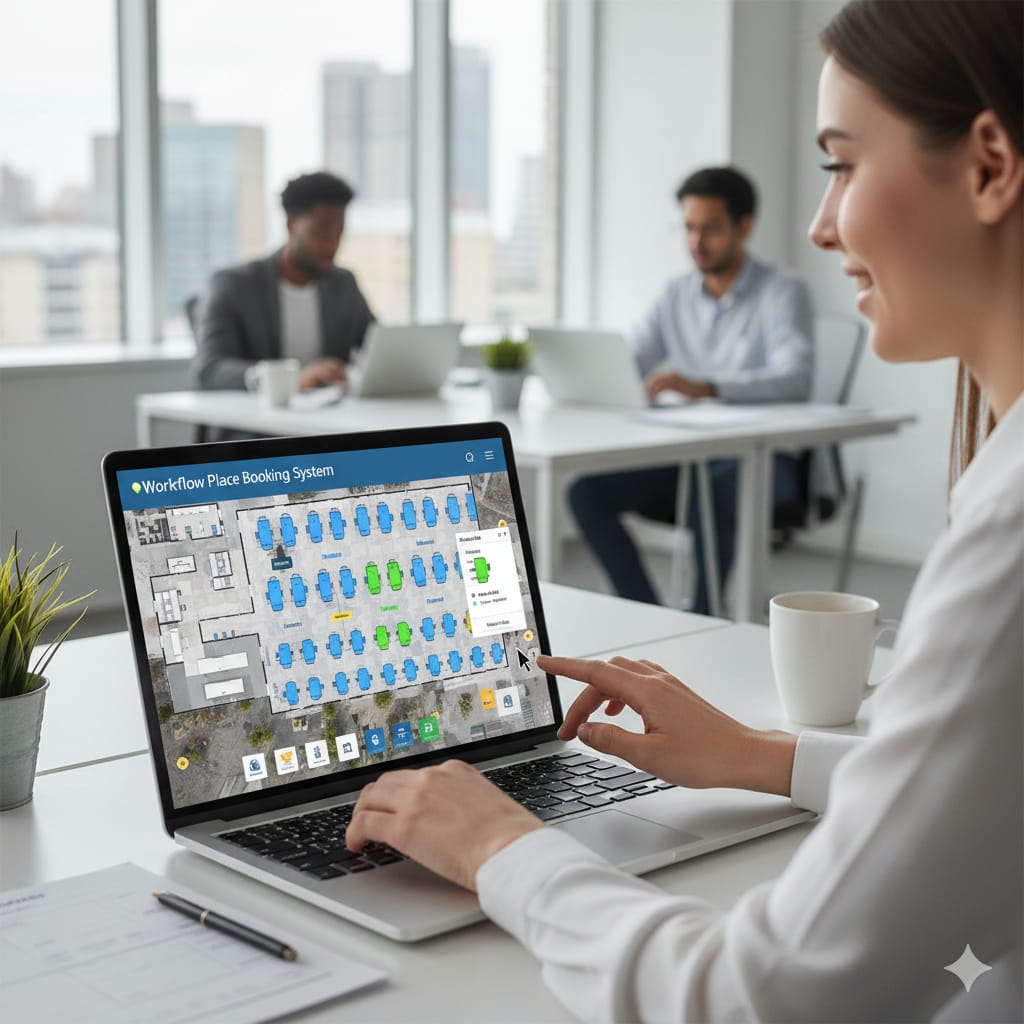
Room booking panels compared: Evoko, Yealink, Crestron, Logitech and Joan
The panel decides the price per door, whether it runs on an existing Teams Rooms licence, and how it is powered. The software platform decides what you can do with desks, neighbourhoods and reporting. Most estates end up with one of these combinations.
| Panel or platform | Runs on | Teams Rooms integration | Best fit |
|---|---|---|---|
| Evoko (Naso, Liso) | Evoko Workplace, plus Microsoft 365 and Google Workspace | Reads the Teams room mailbox; not a native Teams panel | Design-led offices that want one vendor for rooms and desks |
| Yealink RoomPanel | Native Microsoft Teams panel (also Zoom Rooms scheduling) | Certified Teams panel on the Teams Rooms licence | Estates standardising on Teams Rooms, lowest cost per door |
| Crestron TSS-770 and TSS-1070 | Crestron Room Scheduling, native Teams panel mode, Zoom, Google, Robin and others | Certified Teams panel, or Crestron scheduling software | Boardrooms and estates already on Crestron control |
| Logitech Tap Scheduler | Native Teams panel, Zoom Rooms scheduling, Robin, Joan and others | Certified Teams panel | Logitech Rally and Tap estates, Zoom or Teams |
| Joan | Joan cloud with Microsoft 365, Google and Exchange | Reads the room mailbox; e-ink, battery powered | Listed buildings and rooms with no PoE at the door |
| Robin and Condeco (software) | Workplace platforms running on any of the panels above | Microsoft 365 and Teams app integration | Desk booking, neighbourhoods and analytics across many sites |
Installed panel prices sit at £450 to £900 per door across all of these; the spread is mostly the mount, the PoE run and whether a glass or wall surface needs an adapter plate. See the Evoko panel guide and Robin pricing for platform detail.
Room booking integrated with Microsoft Teams Rooms
In a Microsoft Teams Rooms estate the cleanest design is a certified Teams panel at the door on the same room mailbox and Teams Rooms licence as the console inside. One booking, shown in Outlook, on the console and on the door, with check-in and auto-release handled by Teams. Teams Rooms Pro adds occupancy and utilisation reporting in the Pro Management portal without a separate analytics subscription.
Add Robin, Condeco or GoBright on top when you need desk booking, neighbourhood zoning, visitor desks and cross-site reporting; they read the same Microsoft 365 resources, so nothing is double-booked. Zoom Rooms and Google Meet rooms follow the same pattern with Zoom Rooms Scheduling Display or Google Calendar resources.
Desk booking for hybrid offices
A desk booking system lets staff reserve a desk on the floorplan from the app or Teams, check in by tapping an access card, scanning a QR label or sitting down at a desk with a sensor, and lets facilities see which neighbourhoods are actually used. Desk LED indicators are optional; most offices start with QR labels and add sensors where ghost bookings persist.
Utilisation data from desks and rooms feeds occupancy analytics and the decision about how much space to keep; our FAQ on what occupancy data to collect explains which numbers matter.
Meeting room door signs
Meeting room door signs are the visible half of a room booking system: a 7 to 10 inch touch panel beside each door showing the room name, a red or green status, the current and next booking and a walk-up booking button, usually with LED edge lighting readable down the corridor. Options include e-ink battery panels for rooms without PoE, glass-mounted brackets, and small e-paper labels for huddle rooms and phone booths.
- Status at a glance ends rooms being squatted and the walk-in interruptions that follow.
- Check-in on the sign, with auto-release after 10 to 15 minutes, recovers no-show time.
- Walk-up booking from the sign captures the ad hoc meetings that never reach the calendar.
- Every sign reports occupancy and release data back to the platform for utilisation reporting.
Conference centres and hotels use the same panels outside function rooms and breakout rooms, often with event branding and the client name on the sign; see our conference centre AV page.
Manufacturer partners
Platinum partner status with the manufacturers below gives us direct trade pricing and manufacturer-backed technical support on every project.



Trusted AV Partner to Leading Organisations